
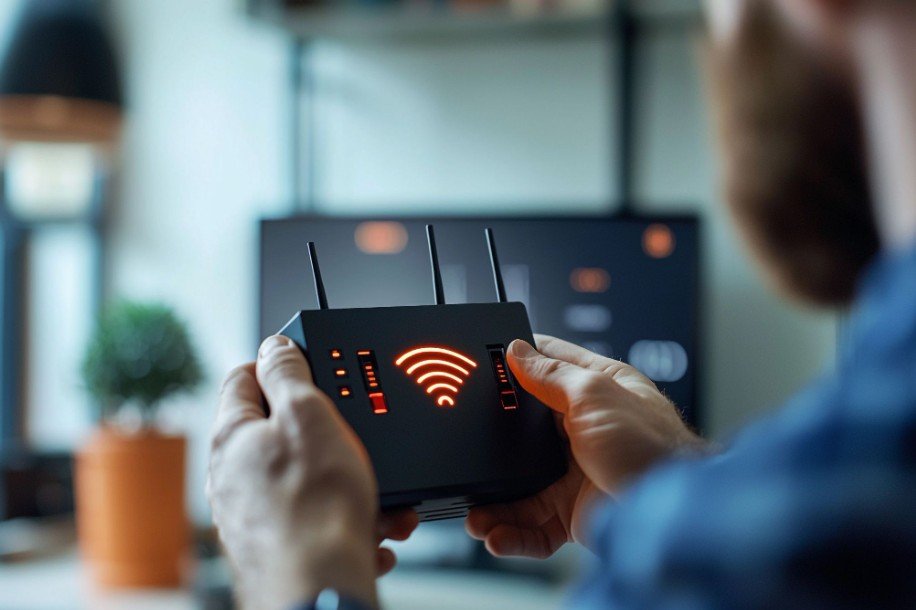
There is nothing more annoying than walking upstairs and watching your Wi-Fi drop from full bars to barely usable. One room loads videos instantly, while another struggles to open a simple webpage.
If you are searching for how to improve wifi signal upstairs, the real issue is often not slow internet but the way your signal travels through your home. Floors, ceilings, drywall, pipes, furniture, and poor router placement can quietly weaken the connection before it ever reaches your second floor.
I like to fix this problem in layers. First, improve the signal you already have with smarter router placement, better height, antenna adjustments, and the right Wi-Fi band. Then, if your upstairs rooms still feel like dead zones, choose the right upgrade, whether that is a Wi-Fi extender, mesh system, MoCA adapter, Powerline adapter, or wired access point.
Why Is My Wi-Fi Signal Weak Upstairs?
A weak Wi-Fi signal upstairs usually happens because the router signal loses strength while traveling between floors. Thick flooring, ceilings, metal pipes, ductwork, drywall, brick, mirrors, and large appliances can all reduce signal quality. The farther your upstairs device is from the router, the more likely you are to notice buffering, lag, dropped video calls, or slow downloads.
Router placement also plays a major role. Many people keep the router in a basement, behind a TV, inside a cabinet, near a wall outlet, or in a corner of the house. That may look neat, but it usually creates poor coverage for a two-story home.
Wi-Fi performs best when the router sits in an open, central, elevated location with fewer barriers around it, which is also one of the most useful tech tips for seniors who want easier internet access at home.
Where Should I Place My Router to Get Better Wi-Fi Upstairs?

The best router placement for a two-story house is usually central, open, and raised off the floor. If your router is downstairs, place it as high as possible on a shelf, bookcase, or wall-mounted spot. This helps reduce the number of obstructions between the router and your upstairs devices.
A useful way to think about Wi-Fi coverage is that many router antennas spread signal in a donut-like pattern around the antenna. That means height and antenna direction can matter. If your router has external antennas, try pointing some vertically and some horizontally.
Horizontal antenna positioning can help direct more signal between floors, while vertical positioning can help spread coverage across the same level.
Avoid hiding the router in a TV cabinet, closet, drawer, or behind a couch. Also keep it away from microwaves, baby monitors, cordless phones, Bluetooth-heavy areas, and large metal objects. These small placement changes can make a noticeable difference before you buy a Wi-Fi extender for upstairs.
Free Ways to Improve Wi-Fi Upstairs First
Before upgrading your equipment, restart your modem and router. This simple step clears temporary connection issues and helps your network refresh. After that, check for router firmware updates through your router app or admin dashboard. Updated firmware can improve stability, performance, and security.
Next, test your speed near the router and then test again upstairs. If speeds are bad near the router, the issue may be your internet provider, modem, or old router. If speeds are strong downstairs but weak upstairs, the problem is most likely coverage.
You should also switch distant upstairs devices to the 2.4GHz band. The 5GHz band is faster at shorter distances, but 2.4GHz travels farther and penetrates floors and walls better. For smart TVs, printers, basic browsing, and smart home devices upstairs, 2.4GHz can be more reliable. For gaming, 4K streaming, and work calls, 5GHz works best only when the signal is strong enough.
Changing your Wi-Fi channel can also help, especially in apartments, townhomes, and neighborhoods where many routers compete for space. A less crowded channel may reduce interference and improve performance.
Should I Use a Wi-Fi Extender Upstairs?
A Wi-Fi extender can help if only one or two upstairs rooms have poor signal. The biggest mistake is placing the extender inside the dead zone. If the extender receives a weak signal, it will only repeat a weak signal.
Place the extender halfway between the downstairs router and the weak upstairs room. A hallway, landing, or area near the stairs often works better than a far bedroom corner. Extenders are useful for browsing, email, smart devices, and light streaming, but they may not be ideal for online gaming, heavy video calls, or multiple upstairs users.
Is Mesh Wi-Fi Better for a Multi-Story Home?

If the entire second floor has weak coverage, a mesh Wi-Fi system is usually a stronger solution than a basic extender. Mesh Wi-Fi uses a main router and multiple nodes that work together to create one seamless network across the home.
For a two-story home, place the main mesh node near your modem downstairs and another node upstairs near the stairs or a central hallway. This helps create a stronger signal path between floors. Popular mesh options in the US include systems like TP-Link Deco, Amazon eero, Google Nest WiFi, and NETGEAR Orbi.
Mesh Wi-Fi is especially useful for families with many connected devices, home offices, streaming rooms, smart TVs, tablets, laptops, and security cameras. It also reduces the need to manually switch networks as you move around the house.
When Is a Wired Access Point the Best Fix?
If you want the most reliable upstairs Wi-Fi, a wired access point is one of the best solutions. This setup uses an Ethernet cable from your downstairs router to a dedicated wireless access point upstairs. Unlike a wireless extender, it does not depend on a weakened signal traveling through floors.
A wired access point is ideal for gaming rooms, home offices, streaming setups, and large homes where reliability matters. It can deliver stronger speeds and lower latency because the upstairs Wi-Fi source is connected directly to the network.
Can MoCA or Powerline Adapters Help Upstairs Wi-Fi?
If running a new Ethernet cable is difficult, MoCA adapters can be a smart option. MoCA uses existing coaxial TV wiring to carry internet signals through your home. If your upstairs room has a coax outlet, MoCA can provide a strong connection for an access point, gaming console, computer, or smart TV.
Powerline adapters are another option. They send data through your home’s electrical wiring. Results can vary depending on the age and quality of the wiring, but Powerline can still help when you cannot run Ethernet or use coax.
Common Mistakes That Make Upstairs Wi-Fi Worse

One common mistake is upgrading your internet plan before checking router placement. A faster plan will not fix a weak signal if your router is hidden in a cabinet or placed in a basement corner.
Another mistake is using old equipment. If your router is several years old, it may not handle modern devices well. Many US households now have phones, laptops, smart TVs, tablets, cameras, smart speakers, and work devices connected at the same time.
A smoother online experience also depends on keeping your digital space organized, so learning how to organize browser bookmarks without digital clutter can help you manage saved pages, tools, and work links more easily.An outdated router can struggle even if your internet plan is fast.
You should also avoid placing extenders too far from the router, ignoring firmware updates, and relying on 5GHz for distant upstairs rooms.
A stronger upstairs connection can also make content sharing easier, especially if you use it to increase Instagram engagement and need reliable Wi-Fi for posting, uploading, or managing social media from any room.
These mistakes often create Wi-Fi dead zones upstairs and make the connection feel worse than it should.
Frequently Asked Questions (FAQs)
1. What is the fastest way to improve Wi-Fi signal upstairs?
The fastest way is to move your router to a high, central, open location and connect distant upstairs devices to the 2.4GHz band.
2. Is a Wi-Fi extender or mesh better for upstairs?
A Wi-Fi extender works for one weak room, while mesh Wi-Fi is better when several upstairs rooms have poor coverage.
3. Should my router be upstairs or downstairs?
Your router should be central, elevated, and open. If most of your devices are upstairs, placing the router higher or upstairs may help.
4. Why does my Wi-Fi work downstairs but not upstairs?
Floors, drywall, pipes, distance, furniture, and interference can weaken the signal before it reaches upstairs devices.
Final Thoughts
When I think about how to improve wifi signal upstairs, I always start with router placement, height, antenna direction, firmware updates, and the right Wi-Fi band. These free steps can improve signal strength without adding extra equipment.
If those fixes are not enough, choose your upgrade based on your home. Use an extender for one weak room, mesh Wi-Fi for whole-floor coverage, MoCA or Powerline when wiring options are limited, and a wired access point when you need the strongest connection.
Once you match the solution to the real cause, how to improve wifi signal upstairs becomes much easier to solve.