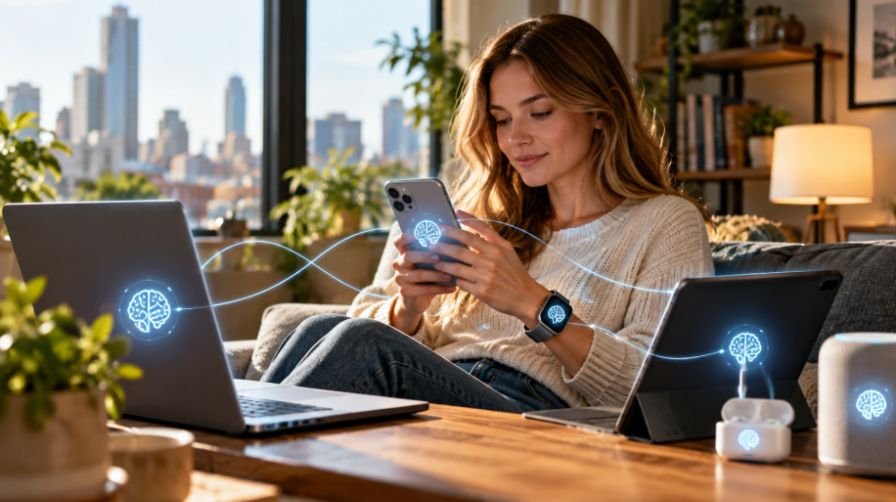

A smart TV feels harmless because it sits in the living room, but it is still an internet-connected computer with apps, accounts, updates, microphones, and network access. I never treat it like a basic screen. If it connects to Wi-Fi, it needs protection.
Learning how to secure a smart tv from hackers helps protect your streaming accounts, home network, personal data, and privacy before one weak setting becomes an open door.
Can a Smart TV Really Be Hacked?
Yes, a smart TV can be hacked when it runs outdated firmware, uses unsafe apps, connects to an unsecured router, or keeps unnecessary features turned on. Hackers may not care about your shows, but they may care about the network behind the TV.
A compromised smart TV can become a path toward phones, work laptops, tablets, security cameras, and other smart home devices.
Smart TV privacy also matters because many models collect viewing data, voice data, app activity, advertising IDs, and device information.
What Are the Warning Signs of a Hacked Smart TV?

A hacked smart TV may run slowly, show random pop-ups, install unknown apps, change settings on its own, or trigger unusual login alerts from streaming services. You may also see unfamiliar devices on your router or apps asking for strange permissions. These signs can come from bugs, but they are worth checking.
Secure the Wi-Fi Network Before Changing TV Settings
Start with your router. Change the default router admin username and password, rename your Wi-Fi network, and use WPA2 or WPA3 encryption. Avoid passwords that include your name, address, phone number, pet name, or router brand.
Next, connect your TV to a guest Wi-Fi network. This separates the television from sensitive devices like laptops, phones, tablets, and work computers. If the TV is ever compromised, guest network isolation can limit what it can reach inside your home.
I also recommend turning off WPS, UPnP, and remote router management if you do not need them. WPS can weaken Wi-Fi security, while UPnP can allow devices to open ports automatically. A router-level VPN can also encrypt outbound traffic and mask your TV’s public IP address on compatible setups.
Turn Off ACR and Smart TV Tracking
Automatic Content Recognition, or ACR, can identify what appears on your screen, including content from some streaming apps, cable boxes, game consoles, and HDMI inputs. Brands may use this data for recommendations, analytics, and personalized ads.
The setting name depends on your TV. On Samsung TVs, look for Viewing Information Services. On LG TVs, turn off Live Plus. On Roku TVs, go to Privacy and Smart TV Experience, then turn off the option that uses information from TV inputs. On Vizio TVs, turn off Viewing Data or Smart Interactivity, depending on your model.
You should also disable personalized ads, interest-based advertising, voice recognition sharing, viewing data, and unnecessary diagnostic data. After major firmware updates, review these privacy settings again because updates may reset or move some options.
Lock Down Camera, Microphone, Apps, and Accounts
Some smart TVs include microphones, voice assistants, or cameras. If you do not use voice search, turn off microphone access. If your TV has a camera, disable it in settings and cover the lens with opaque tape when it is not needed.
Turn on automatic firmware updates so your TV gets security patches quickly. If your TV brand offers built-in security tools, use them. Samsung TVs, for example, may include Device Care or security scanning tools in the support menu, depending on the model.
Only download apps from the official app store. Avoid pirated movie apps, unknown APK files, unofficial IPTV apps, and free streaming tools that promise paid content at no cost. Delete apps and web browsers you no longer use. Use strong, unique passwords for Netflix, Hulu, Disney+, Prime Video, Apple TV, YouTube, and other streaming accounts. Turn on two-factor authentication wherever it is available.
What Should I Do If My Smart TV Was Hacked?

If your TV acts suspiciously, disconnect it from Wi-Fi first. Then remove unknown apps, update the firmware, change your streaming passwords, and check your router for unfamiliar devices. If the problem continues, perform a factory reset and set up the TV again from scratch.
Before selling, donating, or recycling a smart TV, sign out of every account and run a factory reset. This protects saved passwords, viewing profiles, payment-linked accounts, and personal data.
Is an External Streaming Device Safer?
If you want the strongest privacy setup, disconnect the smart TV from the internet completely and use an external streaming device like Apple TV, Roku, Fire TV, or Chromecast.
This air-gap approach turns your smart TV into a display while the streaming device handles the internet connection, making it one of the most practical tech tips for seniors who want safer streaming with fewer privacy risks.
Frequently Asked Questions (FAQs)
1. Can hackers use a smart TV to access my home network?
Yes, if your smart TV is outdated, poorly secured, or connected to the same network as personal devices, it may become a weak entry point.
2. Should I put my smart TV on a guest Wi-Fi network?
Yes, a guest network helps isolate your TV from laptops, phones, banking devices, and work computers.
3. Can a VPN protect my smart TV?
A VPN can encrypt traffic and mask your IP address, but you still need updates, strong passwords, trusted apps, and secure privacy settings.
4. Should I disconnect my smart TV from Wi-Fi?
Disconnect it if you only use cable, gaming consoles, or an external streaming device and want maximum privacy.
Final Thoughts
I do not think smart TVs should scare people, but I do think they deserve smarter setup habits. Once you secure the router, isolate the TV on guest Wi-Fi, disable tracking, limit microphone and camera access, update firmware, and remove risky apps, the device becomes much safer to use.
The best answer to how to secure a smart tv from hackers is simple: reduce what the TV can access, reduce what it can collect, and keep every layer updated. I would rather spend ten minutes changing settings today than deal with exposed accounts later.