
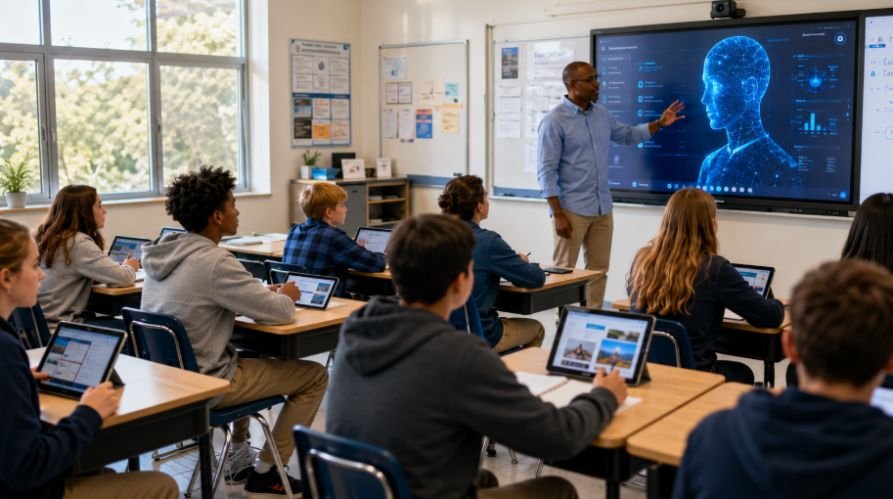
Creating engaging lessons used to mean juggling worksheets, presentations, and endless classroom materials. Today, technological tools for teaching and learning make that process far more effective and enjoyable.
From managing assignments to personalizing instruction with AI, these tools help educators save time while helping students learn in more interactive and meaningful ways. As classrooms continue to evolve, technology is becoming an essential partner in successful education.
Key Takeaways
- Technological tools improve engagement, accessibility, and learning outcomes.
- Learning Management Systems simplify classroom organization and communication.
- AI tools help personalize instruction and reduce teacher workload.
- Gamification platforms make assessment more interactive and effective.
- Successful technology integration focuses on educational goals first.
Why Educators Are Embracing Digital Learning
Students today grow up in a digital world where information is available instantly. Traditional teaching methods still have value, but combining them with modern technology helps create learning experiences that feel relevant and engaging. Educational technology bridges the gap between how students learn and how educators teach.
The best part is that technology is no longer reserved for advanced institutions. Schools, colleges, and online learning environments of all sizes now use digital learning tools to improve accessibility, collaboration, and academic outcomes. That is why technological tools for teaching and learning have become a central part of modern education.
How Technology Improves Learning Outcomes
Technology works best when it supports meaningful learning goals.
Research and classroom experience show that students often perform better when they actively participate in the learning process. Interactive educational platforms encourage engagement through discussions, quizzes, multimedia content, and real-time collaboration.
Teachers also benefit from data-driven insights. Digital platforms provide information about student progress, strengths, and learning gaps. This allows educators to adjust instruction and provide targeted support before challenges become larger obstacles.
Better Student Engagement
Interactive content captures attention more effectively than passive learning. Videos, simulations, digital whiteboards, and gamified activities encourage students to participate actively instead of simply consuming information. This often leads to improved learning and retention.
Personalized Learning Paths
Every student learns at a different pace. Technology allows educators to customize instruction based on individual needs. Students who require additional support can access extra resources, while advanced learners can move ahead without waiting for the rest of the class.
Learning Management Systems (LMS)
Learning Management Systems serve as the foundation of many digital classrooms.
These centralized platforms help educators organize lessons, distribute assignments, monitor performance, and communicate with students. By keeping everything in one place, LMS platforms reduce administrative workload and improve learning efficiency.
Many schools use LMS tools to support both in-person and remote learning environments. Students can access course materials anytime, making learning more flexible and accessible.
Educators who publish lessons, resources, or class updates online can also learn from rank math integrates index and about WordPress sites to understand how SEO tools help educational websites become easier to find.

Canvas
Canvas is widely recognized for its ability to create personalized learning pathways. Teachers can organize lessons, assessments, discussion boards, and learning resources within a single platform. Its extensive integration capabilities also allow educators to connect third-party educational applications seamlessly.
Google Classroom
Google Classroom remains one of the most accessible educational technology tools available. The platform simplifies assignment management, grading, communication, and document sharing. Its user-friendly design makes it particularly valuable for educators who want to integrate technology without a steep learning curve.
Interactive And Visual Creation Tools
Visual learning experiences help students connect with information more effectively.
Interactive content transforms traditional lessons into engaging experiences that encourage exploration and creativity. These tools make complex concepts easier to understand while supporting active participation.
Educational technology is most powerful when students become creators rather than passive consumers of information.

Canva For Education
Canva for Education provides educators with curriculum-friendly templates for lessons, presentations, infographics, and classroom resources.
Teachers can quickly design visually appealing learning materials, while students can demonstrate understanding through creative projects that strengthen communication and critical thinking skills.
Genially
Genially specializes in creating interactive learning experiences. Educators can build quizzes, timelines, presentations, and digital games that encourage students to engage directly with content through clickable elements and multimedia features.
Assessment And Gamification Platforms
Assessment should feel like part of the learning journey rather than a separate task.
Gamified learning platforms make evaluations more engaging while providing educators with valuable insights into student understanding. Immediate feedback allows both teachers and learners to identify areas that need improvement.
These tools turn classroom participation into an interactive experience that motivates students to stay involved.
Kahoot!
Kahoot! has become one of the most popular game-based learning platforms in education. Teachers can create competitive quizzes that transform reviews and assessments into exciting classroom activities. Real-time reports help educators analyze performance instantly.
Quizizz
Quizizz offers flexibility for both classroom and independent learning. Students can complete quizzes at their own pace, while educators gain access to detailed performance data. The platform also encourages student-generated quizzes, promoting deeper engagement with course content.
Artificial Intelligence In Education
Artificial intelligence is reshaping how educators plan, teach, and support learning. Unlike earlier educational technologies, AI tools can adapt to individual needs, generate resources, and provide instant assistance.
These capabilities allow teachers to focus more on instruction and less on repetitive administrative tasks. The growing role of AI represents one of the biggest opportunities in educational innovation.
Educators and learners who want to understand career-focused digital skills can also explore the benefits of data science course in Bangalore, especially as data, AI, and analytics become more important in modern learning.
NotebookLM
NotebookLM functions as an intelligent research and lesson development assistant. Educators can upload documents, presentations, videos, and PDFs to generate summaries, study guides, discussion prompts, and assessment ideas. This saves preparation time while improving resource organization.
Khan Academy
Khan Academy continues to lead in personalized digital learning. Its adaptive learning pathways help students progress according to their skill levels. AI-supported tutoring features provide additional explanations and guidance that support independent learning outside the classroom.
Collaboration And Brainstorming Tools
Collaboration remains one of the most valuable skills students can develop. Digital collaboration platforms allow learners to share ideas, solve problems together, and participate in meaningful discussions regardless of location. These tools support creativity while encouraging active participation.
Technology helps transform group work into a more organized and productive learning experience.

FigJam
FigJam provides a collaborative digital whiteboard where students can brainstorm visually. Features such as virtual sticky notes, voting tools, diagrams, and automated summaries help groups organize ideas and collaborate more effectively during classroom activities.
Padlet
Padlet functions as a flexible virtual collaboration space. Students can share reflections, project ideas, research findings, and multimedia content on a single digital canvas. This creates opportunities for ongoing discussion and collaborative learning.
Using Technological Tools For Teaching And Learning Successfully
Technology delivers the best results when implementation is intentional.
- Start by identifying a classroom challenge that needs improvement. This could involve increasing student participation and engagement, simplifying assessments, improving collaboration, or supporting differentiated instruction. Choosing a tool with a clear purpose ensures meaningful integration.
- Next, introduce the technology gradually and provide students with clear guidance. Allow time for exploration and practice before expecting mastery. Continuous feedback helps educators determine whether the tool is improving learning outcomes.
- Finally, evaluate effectiveness regularly. The goal is not to use the newest technology but to select solutions that genuinely support teaching objectives and student success. This practical approach helps educators maximize the value of technological tools for teaching and learning.
Frequently Asked Questions
1. What are technological tools for teaching and learning?
Technological tools for teaching and learning are digital platforms, applications, and resources that help educators deliver instruction, assess student progress, improve engagement, and support personalized learning experiences across different educational settings.
2. What are the four examples of technological tools?
Four common examples include Learning Management Systems like Google Classroom, visual creation tools like Canva for Education, assessment platforms like Kahoot!, and AI-powered learning tools such as NotebookLM.
3. What is an example of technology for teaching and learning?
A Learning Management System such as Canvas is an excellent example because it allows teachers to organize lessons, assign work, communicate with students, and monitor academic progress efficiently.
4. What are the best tech tools for educators?
The best tech tools for educators depend on classroom goals, but popular options include Canvas, Google Classroom, Canva for Education, Genially, Kahoot!, Quizizz, NotebookLM, Khan Academy, FigJam, and Padlet.
The Future Looks Bright With Technological Tools
The future of education is becoming more personalized, interactive, and accessible thanks to technological tools for teaching and learning. By combining proven teaching strategies with innovative digital solutions, educators can create meaningful experiences that support every learner.
Whether through AI-powered assistance, collaborative platforms, gamified assessments, or visual learning tools, technology continues to help teachers inspire curiosity, improve outcomes, and prepare students for success in an increasingly digital world.